Video interviews have become the standard first and second-round format for most companies globally in 2026. Yet many candidates still treat them like phone calls — underprepared for the unique challenges and opportunities that video creates. Here is how to look, sound, and come across as exceptionally professional on any video platform.
Your Setup: The Non-Negotiables
Camera Position
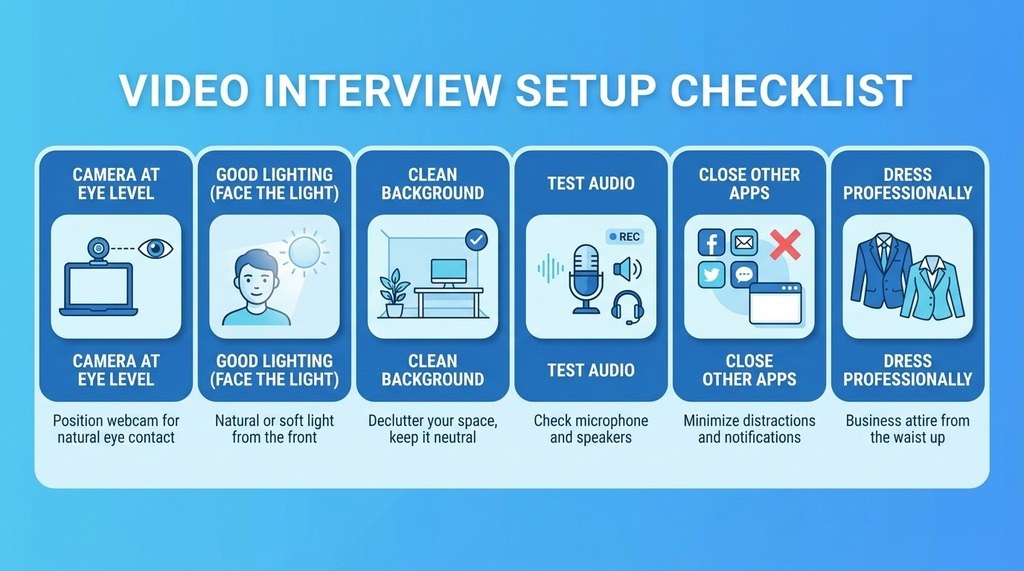
Position your camera at eye level — not pointing up from below or down from above. Eye-level creates a natural, equal conversation. Use books or a laptop stand to raise your camera if needed.
Lighting
This single factor has the biggest impact on how professional you look. Face a natural light source (window) or use a ring light in front of you. Backlit setups (window behind you) create a dark, shadowy appearance. Test your lighting the day before.
Background
Use a clean, uncluttered, professional background. A tidy bookshelf or neutral wall works perfectly. Avoid virtual backgrounds unless you have strong lighting and a good camera — they often look unstable and unprofessional.
Audio
Poor audio quality is a bigger problem than poor video quality. Test your microphone before every interview. Use earphones or headphones if your built-in microphone picks up background noise. Eliminate potential interruptions: silence your phone, close the door, and inform people in your home you are on an important call.
On the Call: Presence and Confidence
- Look into the camera lens when speaking — not at their face on your screen
- Sit upright with energy — slouching reads as disengagement on video
- Nod to show active listening without interrupting
- Smile genuinely at appropriate moments
- Speak slightly slower and clearer than in person — internet latency can affect comprehension
Technical Preparation
- Install the required platform (Zoom, Teams, Meet) 24 hours in advance
- Test audio and video with a friend or the platform’s test feature
- Close all other browser tabs and applications
- Charge your laptop fully or keep it plugged in
- Have a phone backup plan in case of internet issues
What to Have Ready On Screen
- The job description (open in another window or printed)
- Your resume (minimized — do not read from it)
- Key notes: your STAR stories, questions for them, company research points
- A glass of water
Conclusion
Video interviews reward preparation in the same way in-person interviews do — but with additional technical dimensions. Nail your setup, practice your on-camera presence, and enter every video interview having tested everything in advance. The candidates who are most impressive on video are not the most extroverted — they are the most prepared.